
Setup
Apple Pay and Google Pay for Takeaway Ordering: What You Need on Your Website and App
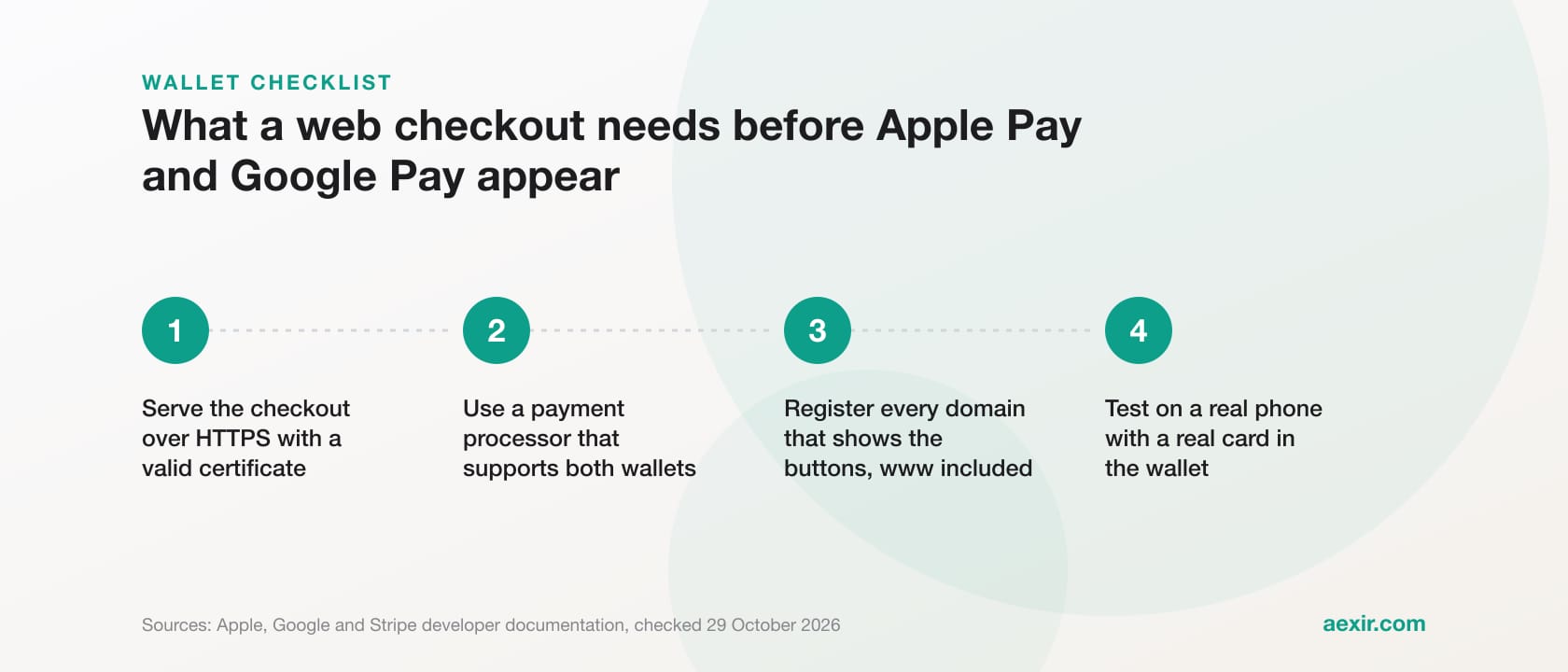
Chart: Aexir, from the figures in this article
To accept Apple Pay and Google Pay on a takeaway website or app, you need a payment processor that supports both wallets, a checkout served over HTTPS and, on most web set-ups, every domain that shows the buttons registered with that processor. Apple and Google say they charge no fee for their wallets, so a wallet payment costs your processor's card rate. Native apps need a few extra steps, covered below from Apple, Google, Stripe and Square documentation, checked 29 October 2026.
Short answer: you need a processor that supports the wallets (Stripe, Square and Adyen all list both), HTTPS, registered domains for the web, and an Apple merchant ID plus Google production access for native apps. Stripe's UK prices put wallets inside its card rates, from 1.5% + 20p. On Aexir, card, Apple Pay and Google Pay all run through Stripe at the published 2.5% + 30p per transaction.
What a takeaway needs before the wallet buttons appear
Apple Pay and Google Pay are digital wallets, not payment processors. Google's FAQ says the Google Pay API passes payment details to your payment provider and sits outside the money flow, and Apple's UK Apple Pay page tells businesses to ask their payment provider. So the starting point is whoever processes your cards.
- A processor that supports both wallets. Stripe and Square document both for web checkouts, and Adyen prices both on its UK pricing page.
- HTTPS on every page with a wallet button. Apple asks for a valid SSL certificate and TLS 1.2 or later; Google asks for a domain-validated TLS certificate.
- Registered domains. With Stripe's embedded payment forms (Elements or embedded Checkout), every domain and subdomain that shows Apple Pay or Google Pay has to be registered on the Payment method domains page. Stripe-hosted Checkout and Payment Links need no extra configuration for Apple Pay.
- A customer device with a card in its wallet. If the phone or browser cannot pay, Stripe simply hides the button, which looks like a fault when you test on the wrong device.
Ordering website or own app: what changes
| Requirement | Ordering website | Your own iOS app (Apple Pay) | Your own Android app (Google Pay) |
|---|---|---|---|
| Accounts needed | Your processor only: Stripe and Square handle Apple's merchant validation, so no Apple merchant ID is needed | Apple Developer Program membership, plus your processor | A Google Play developer account, a business profile in the Google Pay & Wallet Console, plus your processor |
| Set-up steps | HTTPS; register each domain with the processor (Stripe embedded forms), or add it in Square's Developer Console and host Apple's domain association file | Apple merchant ID, Apple Pay certificate from the processor's signing request, Apple Pay capability in Xcode | Enable the Google Pay API in the app manifest, then request production access in the Google Pay & Wallet Console, choosing Gateway and uploading app screenshots |
| Store rule for food orders | No app store involved | Guideline 3.1.3(e): not in-app purchase; use Apple Pay or card entry | Play billing must not be used for physical services such as food delivery |
| Upkeep | Keep domains registered; on a direct Apple set-up, certificates and domain verification expire | Certificate valid 25 months; Apple notifies the team agent 30, 15 and 7 days before expiry | Test from a signed release build with live keys before launch |
Sources, checked 29 October 2026: docs.stripe.com/apple-pay, docs.stripe.com/google-pay, docs.stripe.com/payments/payment-methods/pmd-registration, docs.stripe.com/apple-pay/best-practices, developer.squareup.com/docs/web-payments/apple-pay, developers.google.com/pay/api/web/guides/setup, developers.google.com/pay/api/android/guides/test-and-deploy/request-prod-access, developer.apple.com/documentation/applepayontheweb, developer.apple.com/app-store/review/guidelines and support.google.com/googleplay/android-developer/answer/9858738.
On an ordering website
On Stripe, you add each domain in the Dashboard under Payment method domains. Stripe's Google Pay guide points out that www is a subdomain in its own right, so a site that loads on both yourname.co.uk and www.yourname.co.uk needs both registered. Where an ordering platform runs restaurants as Stripe Connect accounts with direct charges, Stripe says the domain is registered for each connected account through the API: the platform's job, not the restaurant's.
Integrating with Apple directly, without a processor that handles validation, means a merchant ID, two certificates and a verified domain that cannot sit behind a proxy or redirect, per Apple's documentation. On browsers, Apple's WWDC 2024 Apple Pay session says customers on iOS 18 can pay in browsers other than Safari by scanning a code with their iPhone, if the site uses Apple's JavaScript SDK 1.2.0 or later. Google lists Chrome, Firefox, Safari, Edge, Opera and UC Browser for Google Pay.
Inside your own iOS and Android app
Apple's rule for food is clear: guideline 3.1.3(e) keeps physical goods and services out of in-app purchase and names Apple Pay and card entry as the alternatives. Stripe's iOS guide says that for physical goods you pay only Stripe's processing fees, and the set-up is the three steps in the table.
On Android, Google's FAQ says the Google Pay API is only available in apps for physical products and services, which is exactly what a takeaway sells. Stripe's Android guide asks you to choose the Gateway integration type when requesting production access. A QR code on a table opens a web address, so when it leads to your ordering website, the website rules apply.
Do Apple Pay and Google Pay cost more than card payments?
Not from Apple or Google. Google's Google Pay API FAQ says Google adds no fee for users, merchants or developers, while merchants keep paying their processor. In its answers for shoppers, Apple's UK Apple Pay page says Apple charges no fees for using Apple Pay in shops, online or in apps. What you pay is the processor's rate for the card inside the wallet: Stripe and Square publish no separate wallet rate. For card rates across UK ordering providers, see the ordering system price index.
| Processor | Published card rate | Apple Pay and Google Pay | Source (checked 29 October 2026) |
|---|---|---|---|
| Stripe, UK account | 1.5% + 20p standard UK cards; 2.8% + 20p premium UK cards; 2.5% + 20p EEA cards; 3.15% + 20p international cards; plus 2% if currency conversion is needed | No separate wallet rate: the domestic and international card rows include digital wallets | stripe.com/gb/pricing |
| Stripe, France account | 1,5 % + 0,25 € standard EEA cards; 2,8 % + 0,25 € premium EEA cards; 2,5 % + 0,25 € UK cards; 3,15 % + 0,25 € international cards | No separate wallet rate: wallets sit inside the card rows | stripe.com/fr/pricing |
| Square, UK | Online: 1.4% + 25p UK cards; 2.5% + 25p non-UK cards | No separate wallet rate; Square's help centre says it supports both and charges all card types the same standard rates | squareup.com/gb/en/pricing; squareup.com/help/gb/en/article/5085-accepted-cards |
| Adyen, UK pricing page | Visa and Mastercard: £0.11 + Interchange+ + 0.60%; Adyen notes interchange fees are variable | £0.11 plus a payment method fee defined by the card used | adyen.com/en_GB/pricing |
| Aexir (through Stripe) | UK: 2.5% + 30p per transaction. France: 2,5 % + 0,35 € | Same published rate as card, on the app and the website | aexir.com/pricing; aexir.com/restaurant-website |
Rates as each company publishes them, checked 29 October 2026. Fee statements from Apple (apple.com/uk/apple-pay) and Google (developers.google.com/pay/api/faq).
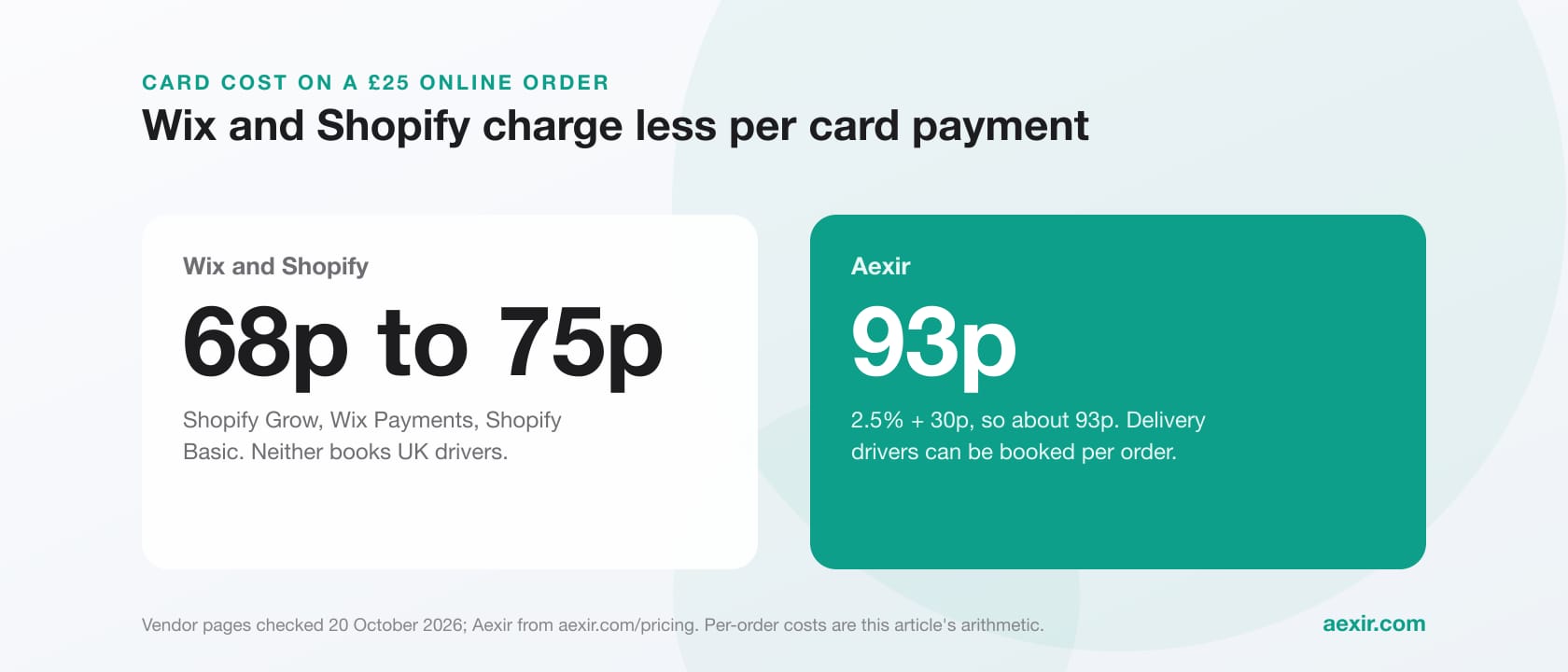
Worked example, our arithmetic from the rates above: a £25 order paid with Apple Pay from a standard UK debit card costs 57.5p on Stripe's standard UK rate (37.5p plus 20p), 60p on Square's online rate (35p plus 25p) and 92.5p on Aexir's 2.5% + 30p (62.5p plus 30p), the same as if the card were typed in. Aexir's pricing page says 1% + 10p of its rate is an Aexir platform contribution and the rest covers Stripe. A direct Stripe or Square account costs less per order but leaves you to build or buy the ordering checkout on top.
Rules that catch restaurants out
- Wallet parity on the web. Apple's acceptable use guidelines say a web page that accepts other third-party payment methods must offer Apple Pay with at least the same prominence, and that a site which checks for an active card in Wallet and finds one must show Apple Pay as the primary option.
- Tobacco and vapes. Apple's acceptable use guidelines for Apple Pay on the web and Google's acceptable use policy for its payment APIs both prohibit them, so keep counter sales of cigarettes or vapes off the online menu.
- The full price before payment. App Store guideline 4.9 says apps using Apple Pay must show all material purchase information before the sale, so delivery charges, service fees and small-order top-ups belong in the basket before the Apple Pay sheet opens.
- Chrome on Android. Stripe says some browsers, including Chrome on Android, need a Permissions-Policy header allowing payments from your page and Stripe's domains on every page that shows Google Pay.
- Ordering widgets inside another site. For Apple Pay, Stripe says an iframe's origin must match the top-level page (Safari 17 and later excepted, when the iframe allows payment), and both domains must be registered when they differ.
- Certificate renewal in apps. Stripe says to activate a new Apple Pay certificate before the old one expires, so keep the team agent's inbox watched.
Checkout choices that affect completed orders
We found no takeaway conversion figures from Apple, Google or Stripe. Stripe's best-practice page quotes results from two online businesses, not takeaways, so this section sticks to its recommendations.
- Finish the order before the button. Stripe recommends collecting every mandatory choice before showing Apple Pay, and never showing the button greyed out. For a takeaway, size, extras, delivery or collection and a time slot come first.
- Check the delivery address before charging. Stripe advises against asking again for details the wallet provides, but your checkout should still confirm a wallet address is inside your delivery area before taking the money.
- Do not force an account first. Stripe suggests moving sign-up to after payment; a loyalty sign-up can wait for the confirmation screen.
- Show the marks. Stripe suggests placing the Apple Pay mark beside your other payment marks.
- Measure your own numbers: completed orders against baskets started, for a few weeks before and after the wallets go on.
There is a security angle too. Stripe's guide to Strong Customer Authentication says Apple Pay and Google Pay already build in authentication by biometrics or a password, which meets the requirement while keeping checkout smooth.
How Aexir handles Apple Pay and Google Pay
Aexir is an online ordering system for independent restaurants and takeaways: their own branded iOS and Android ordering app, ordering website and browser till (POS on the Go), for a flat monthly fee at published prices. On payments, aexir.com says:
- The ordering website takes card payments, Apple Pay and Google Pay through Stripe at the published 2.5% + 30p per transaction, and card refunds are done from the till.
- The branded app offers Apple Pay, Google Pay and card at the same rate, with weekly payouts to the restaurant's own bank account.
- The website lives at yourname.aexir.com and Aexir hosts it, with no technical setup on the restaurant's side; customers need no download and no account.
- In France the card rate is 2,5 % + 0,35 € per transaction.
- Plans, a month ex VAT: Web £30 (ordering website and POS on the Go), Starter £30 (branded iOS and Android app), Plus £40 (app and website), Pro £50 (app, website and POS on the Go). Setup is done by Aexir.
Aexir Digital Ltd is based in Manchester and sets up restaurants in the UK, France and worldwide. Outside the UK and France, check currency, tax, card payments and delivery for your country with us on the call before you sign.
Card, Apple Pay and Google Pay on your own ordering site
A branded ordering website with checkout through Stripe at the published 2.5% + 30p, and POS on the Go included, from £30 a month ex VAT.
See the ordering websiteChecklist before you switch the wallets on
- Confirm your processor supports Apple Pay and Google Pay for your country and business.
- Check every page with a wallet button loads over HTTPS with a valid certificate.
- Register the bare domain, www and any ordering subdomain with the processor, or confirm your ordering platform has done it.
- Make sure delivery fees, service charges and minimum-order rules show in the basket before payment.
- Test on a real iPhone and a real Android phone with real cards in the wallets. Stripe's test mode accepts a real card in Apple Pay and returns a test token, so nothing is charged.
- Place one live order, refund it, and check both on your till and in your processor's dashboard.
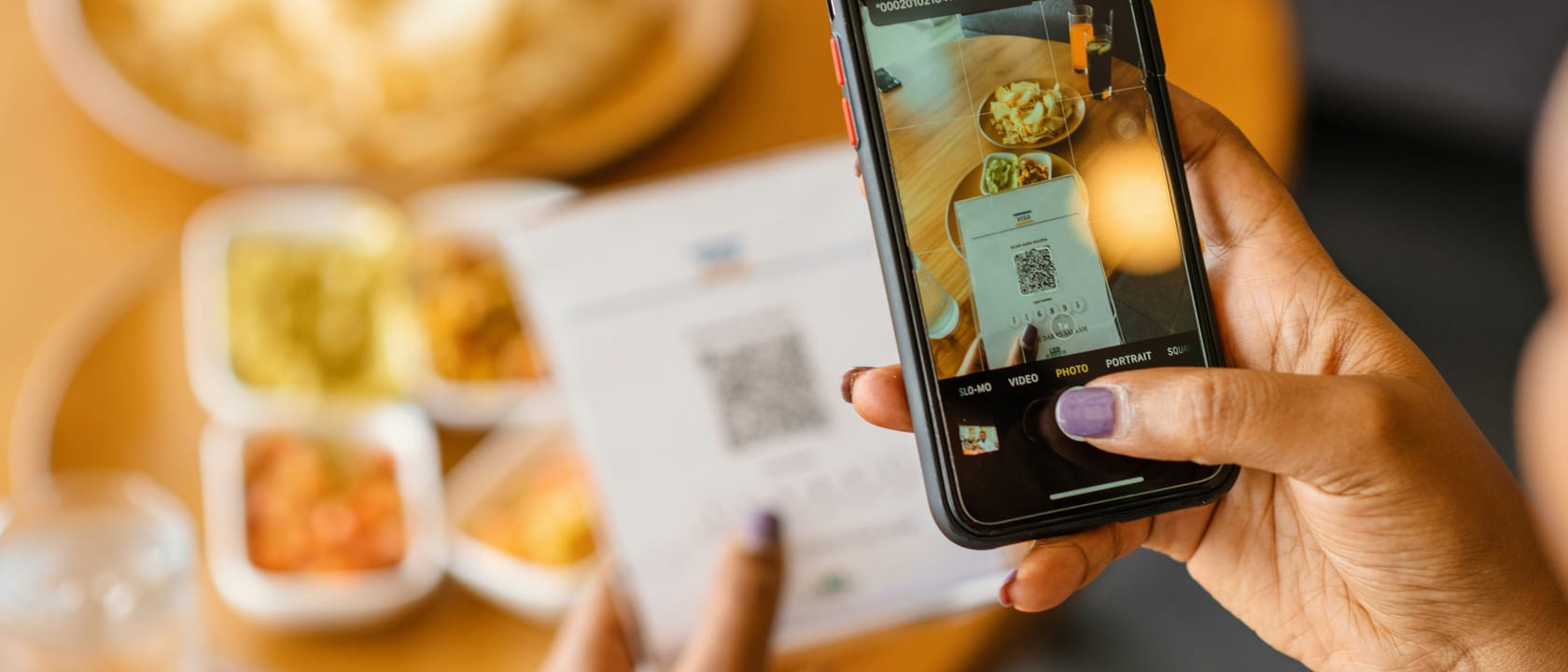
Still choosing a website builder or a done-for-you ordering site? Our Wix and Shopify comparison covers their checkouts for food, and the QR table ordering guide covers paying at the table.
Talk to a real person about switching
Common questions answered.
Use a processor that supports Apple Pay, serve the checkout over HTTPS, and register every domain that shows the button, www included. Stripe-hosted Checkout needs no extra set-up.
Apple and Google add no fee; you pay your processor's rate for the card in the wallet, such as 1.5% + 20p for standard UK cards on Stripe. On Aexir, card and both wallets are 2.5% + 30p per transaction.
Not for a website on Stripe or Square: both handle Apple's merchant validation. A native iOS app needs Apple Developer Program membership, a merchant ID, an Apple Pay certificate and the Xcode capability. On Aexir's app plans the app goes on Aexir's developer account for £30 a year, or your own Apple and Google accounts at about £130 a year.
Check for an unregistered domain or www subdomain, a page not on HTTPS, an ordering widget in an iframe on another domain, or a test device with no card in Wallet.
No. App Store guideline 3.1.3(e) says physical goods and services must use other methods, such as Apple Pay or card entry, and Google Play's payments policy says its billing system must not be used for physical services such as food delivery.
Yes. aexir.com says the ordering website and the branded app both take card, Apple Pay and Google Pay through Stripe at the published 2.5% + 30p per transaction in the UK, and 2,5 % + 0,35 € in France.
Keep reading
Takeaway Website: What It Should Cost and What to Put on It (UK, 2026)
Restaurant App Cost UK (2026 Pricing Guide)
Online Ordering Website for Restaurants in the UK: Wix vs Shopify vs a White-Label App
QR Table Ordering for UK Restaurants: A 2026 Practical Guide
Build your own restaurant app.
Aexir launches branded ordering apps for UK restaurants in under 30 days. A flat monthly fee at published prices. From £1/day.